Your memories
never leave home.
Smart search. Zero cloud. Find any photo by describing it, with AI that runs entirely on your phone. Type “dog on the beach”, “birthday cake” or “voice note about the meeting” and Think'It Gallery finds it by what’s in your photos, videos and recordings.
Every AI feature runs on your phone using open models you choose to download.
Private by design
Your photos, faces, transcripts and searches stay on your phone. There is no account, no analytics and no cloud AI. The internet is used only for update checks and the optional AI model downloads you choose.
Everything on your phone, beautifully found
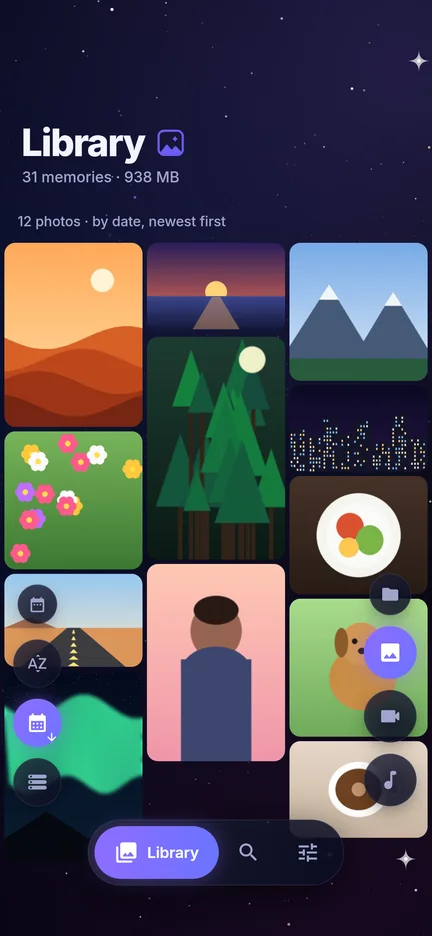
A fast, good-looking gallery for photos, videos, audio and documents, with a search that understands what you mean.
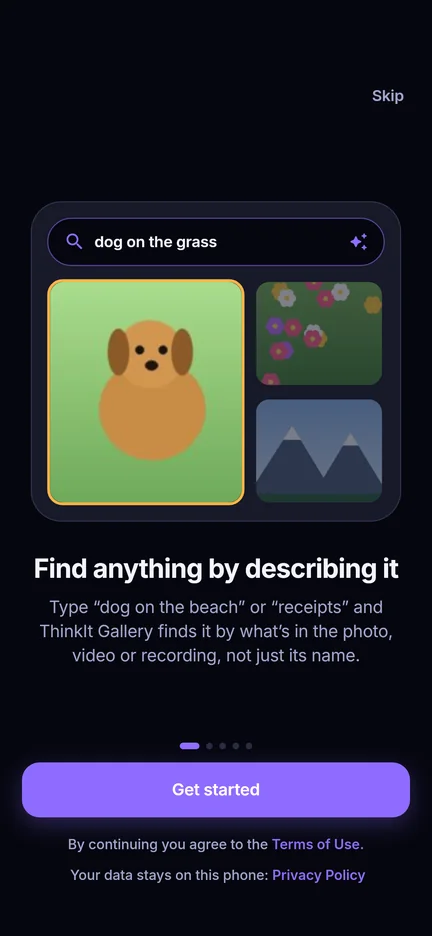
Search by describing
Describe it and find it, across photos, videos (frames and sound) and audio recordings*. Works in airplane mode.
Edit & trim with 24 h undo
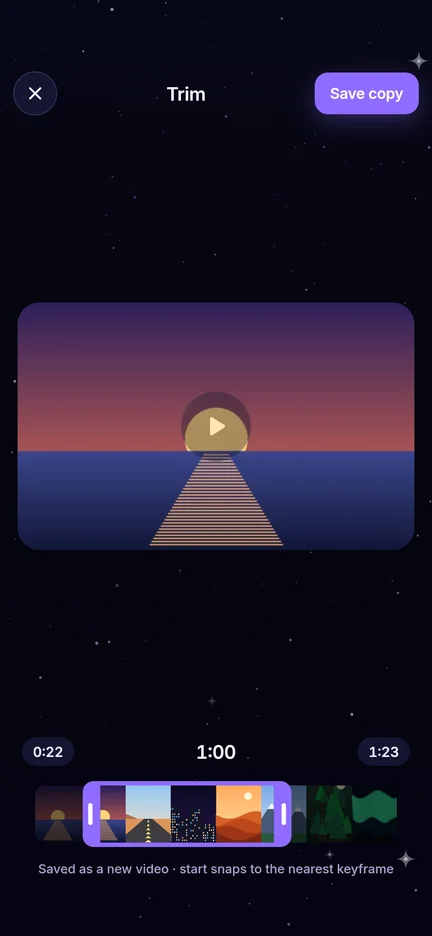
Crop and adjust photos, trim videos and audio. Save a copy, or replace the original and still restore it for 24 hours.
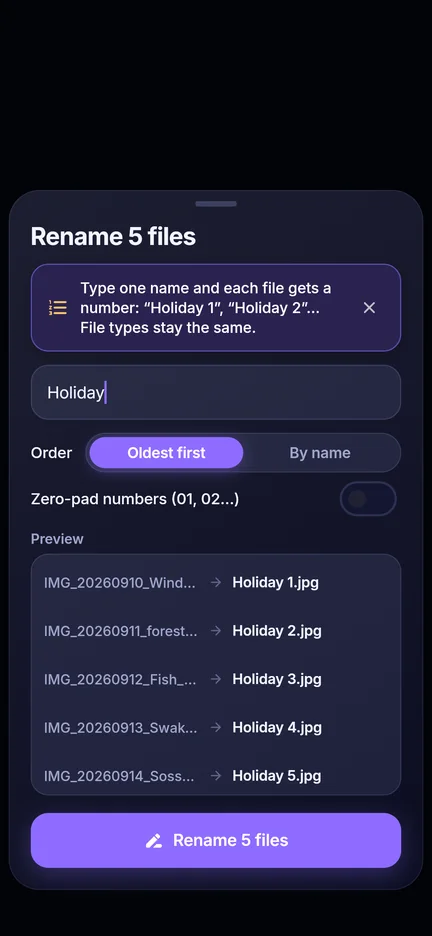
Bulk rename
Hold one file, then hold another to select everything in between. Type “Holiday” and get Holiday 1, Holiday 2… with a preview first.
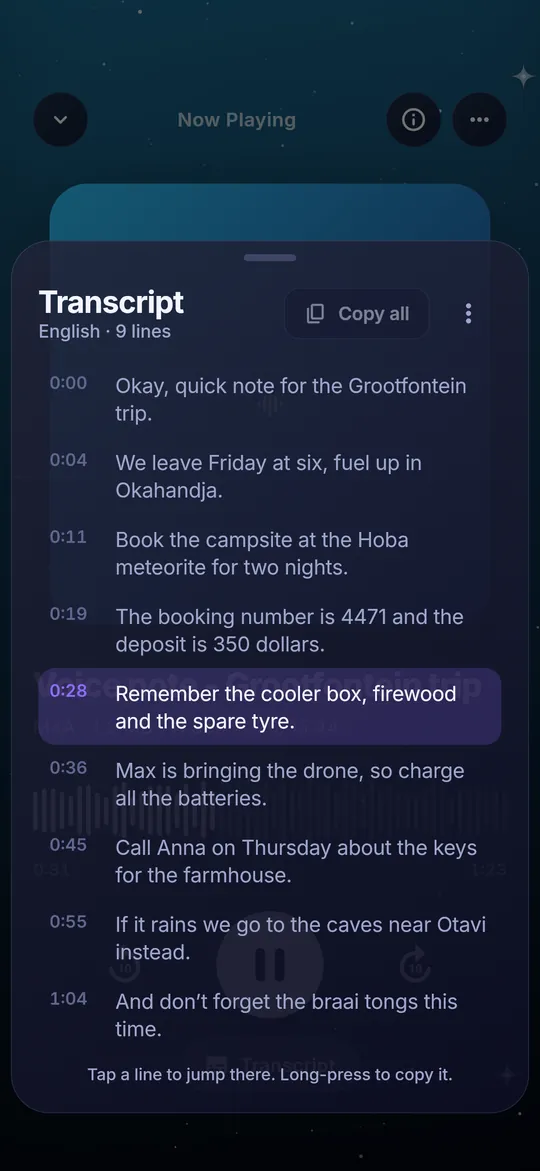
Transcripts
Turn voice notes and videos into text, offline. Tap a line to jump there, copy one line or all of it, and find recordings by what was said.
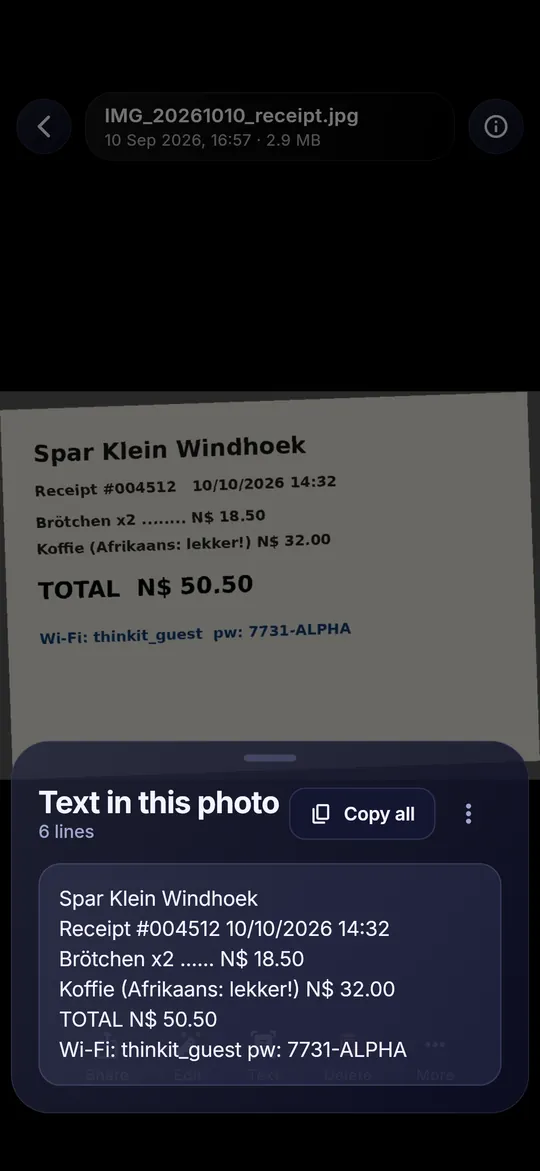
Text in photos
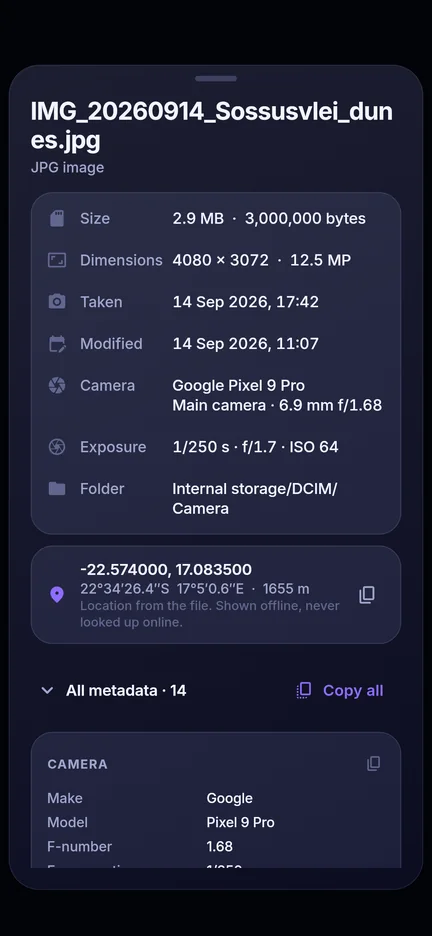
Copy what’s written in a photo: a receipt total, a Wi-Fi password, a sign. Search finds exact words and numbers. Read on the phone, never uploaded.
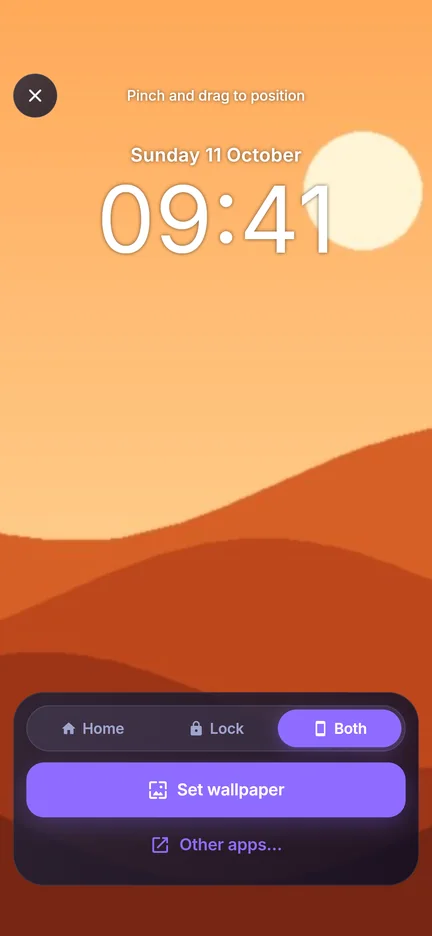
Set as wallpaper
Position any photo exactly, preview it, then set it for the home screen, lock screen or both.
* Sound in videos and audio recordings is understood by the Best model; the smaller models search audio by name.
Everything it does
- Search photos, videos and recordings by describing them (offline)
- Voice search, recognised on your phone
- Transcripts of voice notes and videos
- Copy text from photos (receipts, signs, Wi-Fi passwords)
- People: find photos of someone you named (on-device faces)
- Cut-outs and stickers from photos
- Photo editor: crop, adjust, filters, markup
- Trim videos and audio; exact clips when sharing
- Photos to video with your music
- Save as copy or replace with 24-hour undo
- Bulk rename with preview; share many at once
- Pins for favourite files; duplicates and similar photos
- PDF viewer, editor, merge and photos-to-PDF
- Video player with waveform scrubber, hold for 2x or rewind, slow-mo and pinch zoom
- Music player with equalizer, swipe between songs and a mini player that keeps playing
- Set wallpapers and ringtones
- Sort by name, date or size; date ranges; pinch-to-resize grid
- Home-screen search widget
- Works offline once a model is downloaded
Try searching for…
You search by what’s in the photo, video or recording, not by file names.
 dog on the beach
🎂birthday cake
dog on the beach
🎂birthday cake
 sunset
 receipts
💬screenshot of a chat
🎙️voice note about the meeting
🎸song with guitar
⚽video of kids playing
🏔️mountains in the snow
receipts
💬screenshot of a chat
🎙️voice note about the meeting
🎸song with guitar
⚽video of kids playing
🏔️mountains in the snow
 passport photo
How it works
Three steps, once. After that, search is instant.
Install and pick a model
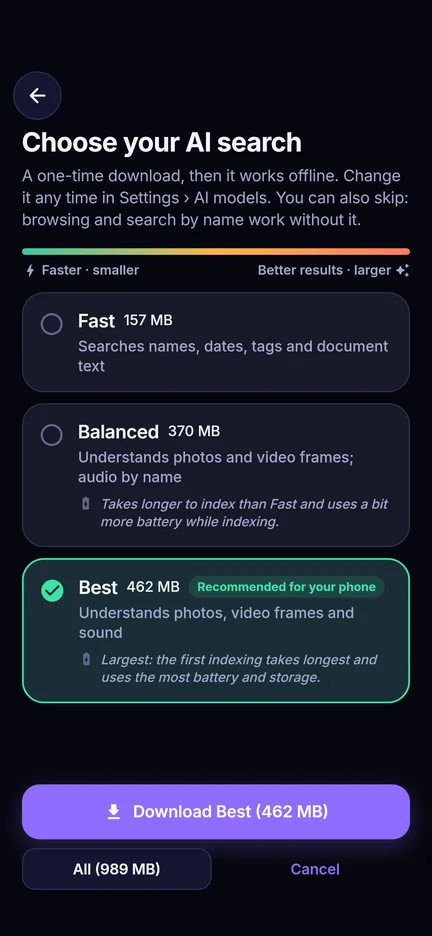
Choose Fast, Balanced or Best. We recommend the one your phone runs well. It downloads once, then works offline.
Your phone learns your library
Think'It Gallery looks at each photo, video and recording on the device and builds a private index. New files are added automatically.
Describe what you remember
Type a few words. The best matches appear right above your thumb, with photos, videos and audio together.
A closer look

Questions
What does it cost?
US$0.99 in launch week, then US$1.99, once. No ads, no subscription, no in-app purchases and no account.
Do my photos get uploaded anywhere?
No. Indexing and search run entirely on your phone. Transcripts and text in photos are made on the phone too. The app only uses the internet to download the AI models you choose (once each) and, in the direct-download version, to check for app updates. See the Privacy Policy.
How much space does the AI model need?
Fast is about 157 MB and searches names, dates, tags and document text. Balanced is about 370 MB and also understands photos and video frames. Best is about 462 MB and also understands sound in videos and audio recordings. You can keep one or several, switch or delete them any time in Settings › AI models. The gallery also works without a model.
Will it drain my battery?
The first index of a large library takes a while and uses power, so you can let it run only while charging. After that only new files are indexed, a few seconds each.
Can it transcribe voice notes?
Yes. Download a transcript model in Settings › AI models (Fast about 42 MB, Balanced about 57 MB, Accurate about 181 MB), open a recording or video and tap Transcript. It detects the language, or you pick it. You can also let new voice notes be transcribed in the background while charging. Transcripts stay on your phone and are searchable.
Which phones are supported?
Any Android 7.0 or newer. AI search needs a 64-bit phone (almost every phone since 2017); on older 32-bit phones the gallery, editing and everything else still work.
What if I replace a photo by mistake?
When you save an edit over the original, the original is kept for 24 hours. Tap Undo right away, or restore it later from Settings › Recently replaced.
Does it work offline?
Yes. Once a model is downloaded, search, transcripts and text in photos work in airplane mode.
Does it work on tablets?
It runs on Android tablets and foldables, but it is designed and tested for phones first.
How do I contact you?
Email richardshanemccaw@gmail.com, or use Send feedback in the app’s Settings.
Who makes Think'It Gallery?
Richard van Wyk, an independent developer in Namibia.

Get Think'It Gallery
One-time purchase on Google Play (US$0.99 launch week, then US$1.99). Android 7.0 and newer.
Available through Google Play. Join the test now; the public release follows.